🗊 Презентация Scientific Calculators

Категория: Технология
Нажмите для полного просмотра!
Scientific Calculators, слайд №1 Scientific Calculators, слайд №2 Scientific Calculators, слайд №3 Scientific Calculators, слайд №4 Scientific Calculators, слайд №5 Scientific Calculators, слайд №6 Scientific Calculators, слайд №7 Scientific Calculators, слайд №8 Scientific Calculators, слайд №9 Scientific Calculators, слайд №10 Scientific Calculators, слайд №11 Scientific Calculators, слайд №12 Scientific Calculators, слайд №13

Вы можете ознакомиться и скачать презентацию на тему Scientific Calculators. Доклад-сообщение содержит 13 слайдов. Презентации для любого класса можно скачать бесплатно. Если материал и наш сайт презентаций Mypresentation Вам понравились – поделитесь им с друзьями с помощью социальных кнопок и добавьте в закладки в своем браузере.

Слайды и текст этой презентации


Слайд 1


SCIENTIFIC CALCULATORS Presenters: Yesbolat Date:
Описание слайда:
SCIENTIFIC CALCULATORS Presenters: Yesbolat Date:

Слайд 2


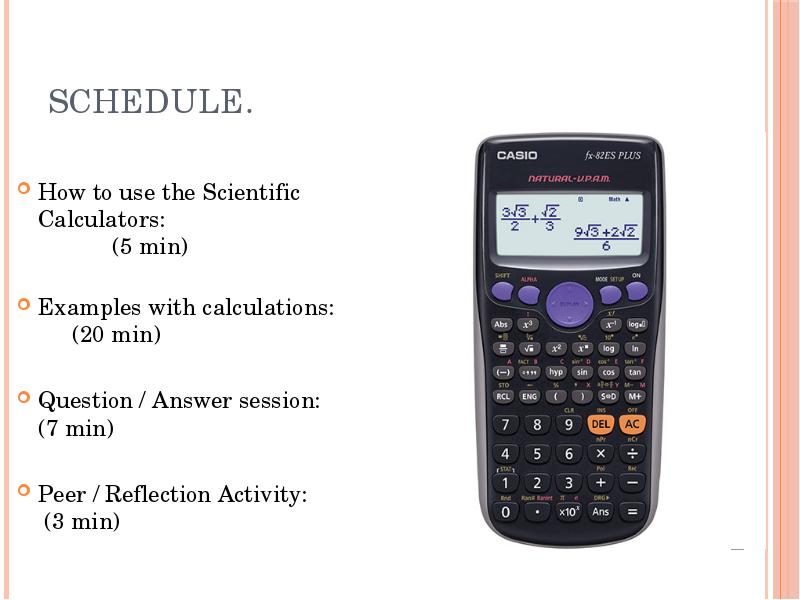
Schedule. How to use the Scientific Calculators: (5 min) Examples with calculations: (20 min) Question / Answer session: (7 min) Peer / Reflection...
Описание слайда:
Schedule. How to use the Scientific Calculators: (5 min) Examples with calculations: (20 min) Question / Answer session: (7 min) Peer / Reflection Activity: (3 min)

Слайд 3


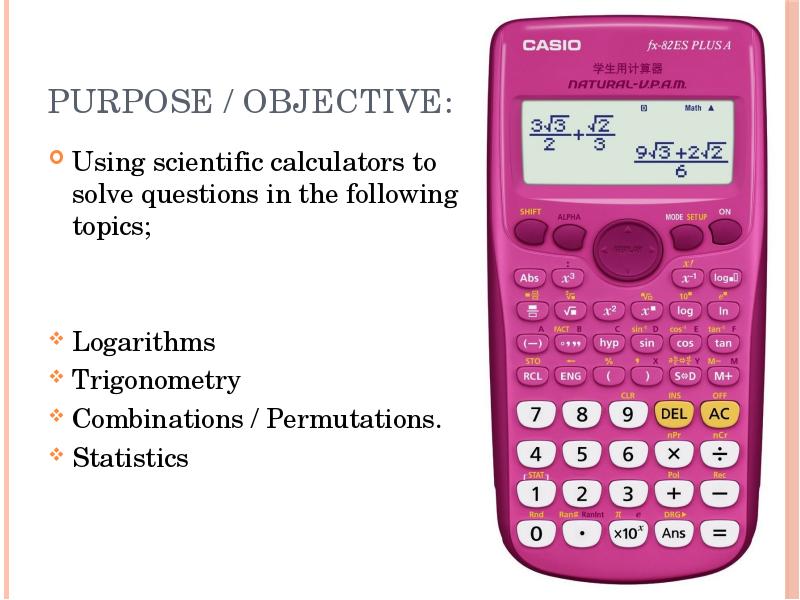
Purpose / Objective: Using scientific calculators to solve questions in the following topics; Logarithms Trigonometry Combinations / Permutations....
Описание слайда:
Purpose / Objective: Using scientific calculators to solve questions in the following topics; Logarithms Trigonometry Combinations / Permutations. Statistics

Слайд 4


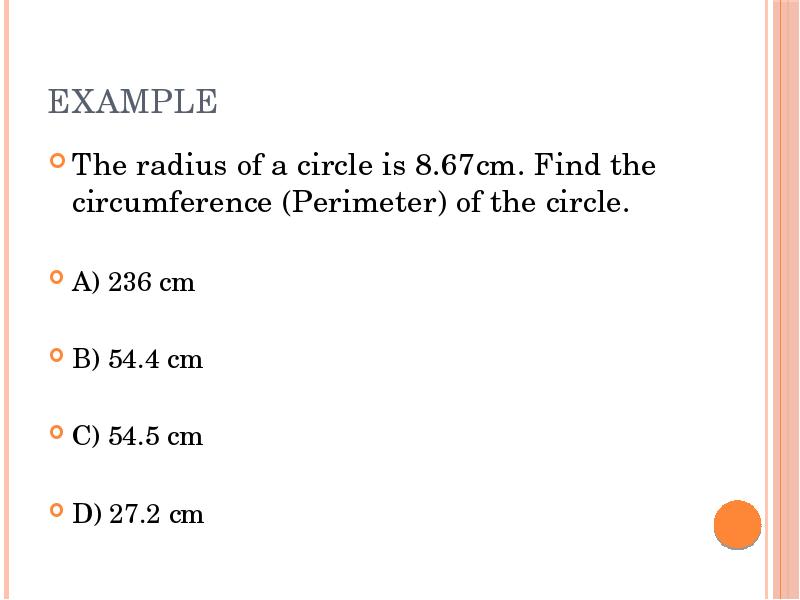
EXAMPLE The radius of a circle is 8.67cm. Find the circumference (Perimeter) of the circle. A) 236 cm B) 54.4 cm C) 54.5 cm D) 27.2 cm
Описание слайда:
EXAMPLE The radius of a circle is 8.67cm. Find the circumference (Perimeter) of the circle. A) 236 cm B) 54.4 cm C) 54.5 cm D) 27.2 cm

Слайд 5


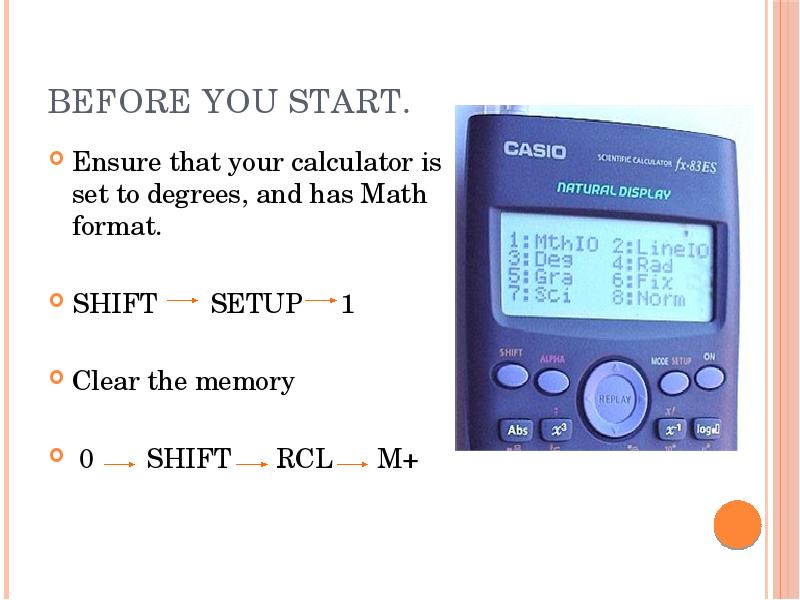
BEFORE YOU START. Ensure that your calculator is set to degrees, and has Math format. SHIFT SETUP 1 Clear the memory 0 SHIFT RCL M+
Описание слайда:
BEFORE YOU START. Ensure that your calculator is set to degrees, and has Math format. SHIFT SETUP 1 Clear the memory 0 SHIFT RCL M+

Слайд 6


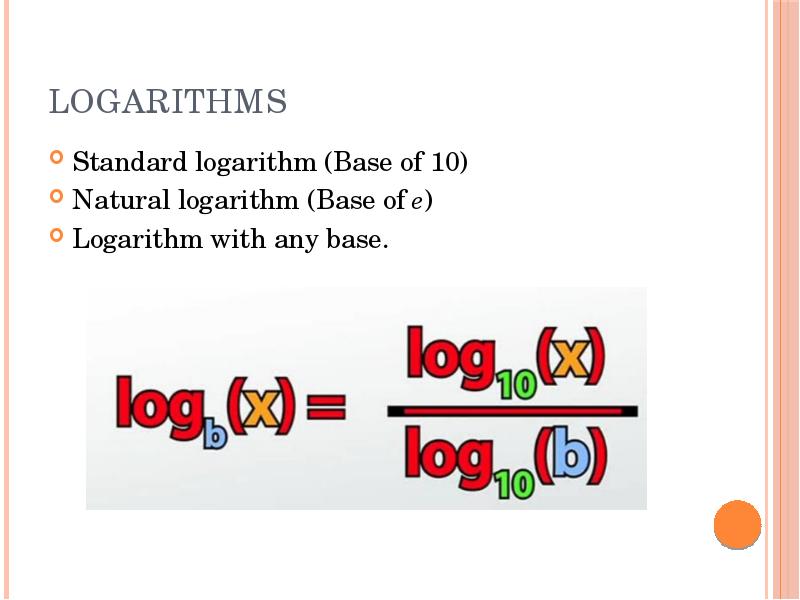
LOGARITHMS Standard logarithm (Base of 10) Natural logarithm (Base of e) Logarithm with any base.
Описание слайда:
LOGARITHMS Standard logarithm (Base of 10) Natural logarithm (Base of e) Logarithm with any base.

Слайд 7


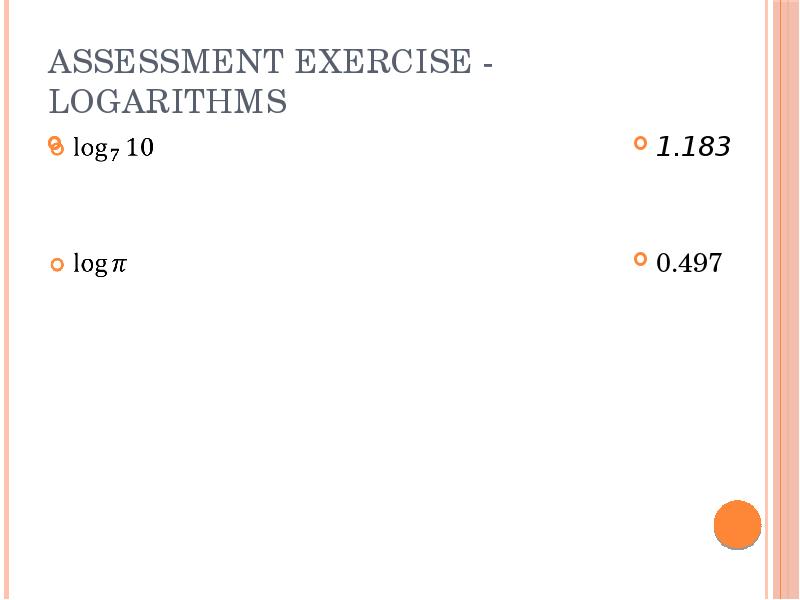
Assessment exercise - Logarithms
Описание слайда:
Assessment exercise - Logarithms

Слайд 8


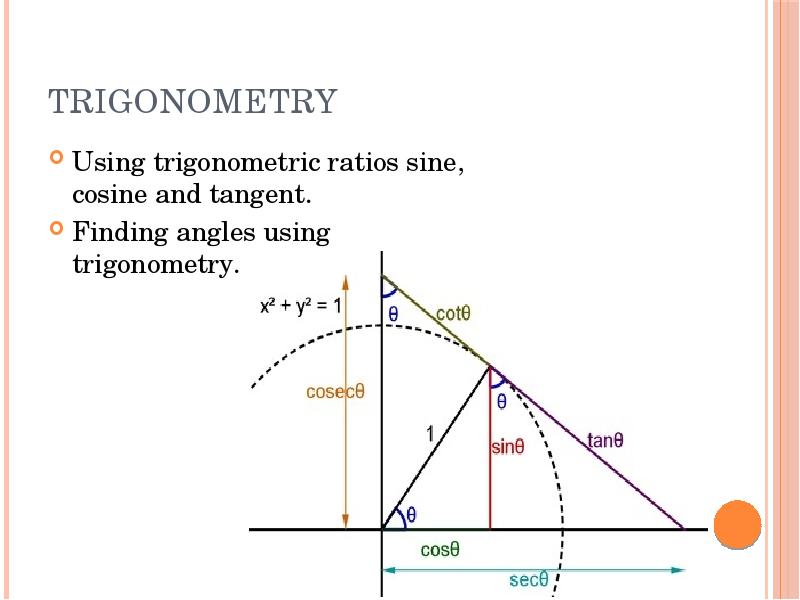
TRIGONOMETRY Using trigonometric ratios sine, cosine and tangent. Finding angles using trigonometry.
Описание слайда:
TRIGONOMETRY Using trigonometric ratios sine, cosine and tangent. Finding angles using trigonometry.

Слайд 9


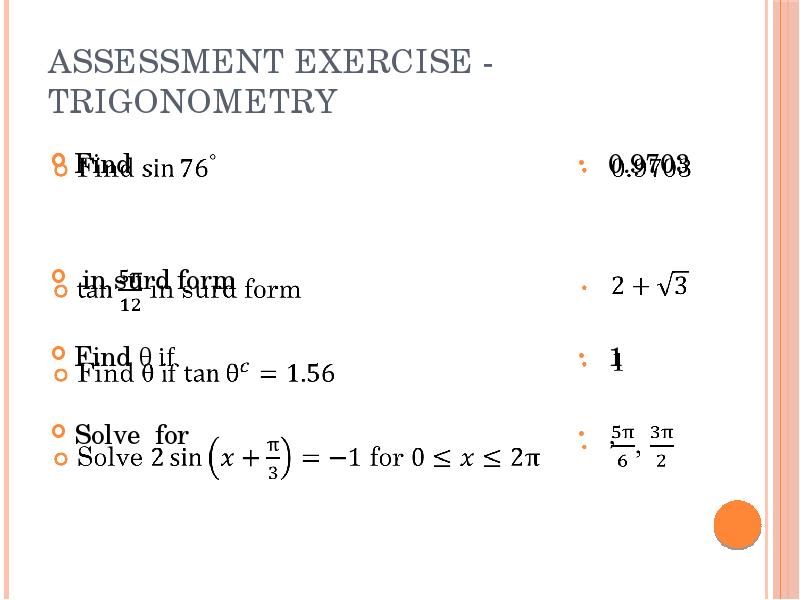
Assessment exercise - Trigonometry Find in surd form Find θ if Solve for
Описание слайда:
Assessment exercise - Trigonometry Find in surd form Find θ if Solve for

Слайд 10


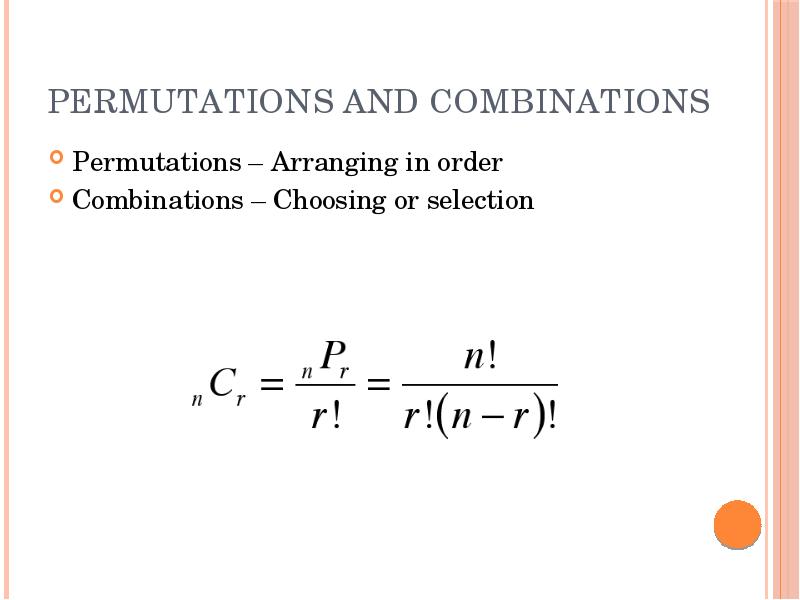
PERMUTATIONS AND COMBINATIONS Permutations – Arranging in order Combinations – Choosing or selection
Описание слайда:
PERMUTATIONS AND COMBINATIONS Permutations – Arranging in order Combinations – Choosing or selection

Слайд 11


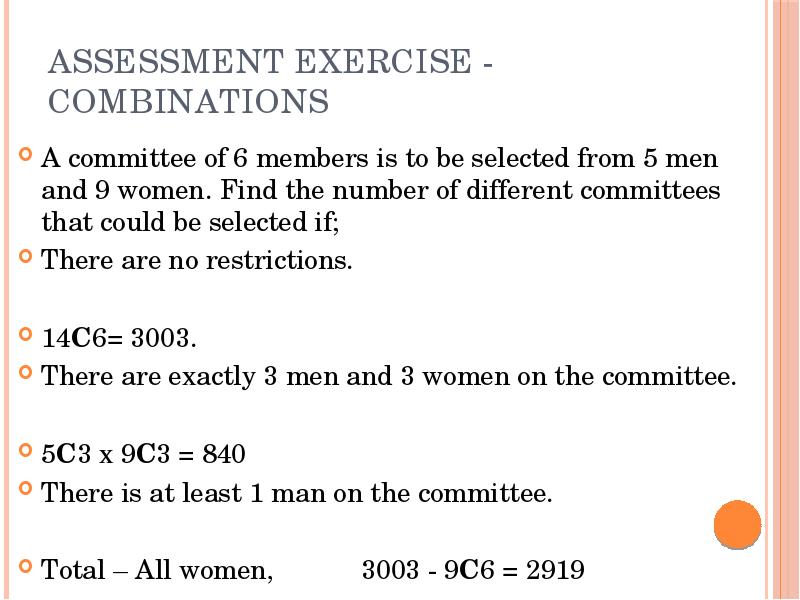
Assessment exercise - Combinations
Описание слайда:
Assessment exercise - Combinations

Слайд 12


STATISTICS Mean, mode and median Variance and Standard Deviation
Описание слайда:
STATISTICS Mean, mode and median Variance and Standard Deviation

Слайд 13


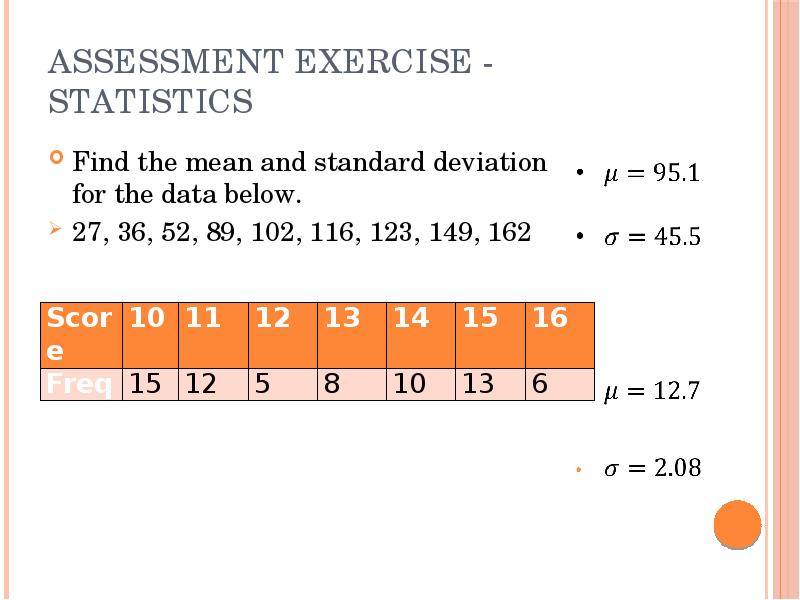
Assessment exercise - Statistics Find the mean and standard deviation for the data below. 27, 36, 52, 89, 102, 116, 123, 149, 162
Описание слайда:
Assessment exercise - Statistics Find the mean and standard deviation for the data below. 27, 36, 52, 89, 102, 116, 123, 149, 162


Похожие презентации
Mypresentation.ru
Загрузить презентацию