🗊 Презентация Customizing I/O. (Chapter 11)

Нажмите для полного просмотра!
Customizing I/O. (Chapter 11), слайд №1 Customizing I/O. (Chapter 11), слайд №2 Customizing I/O. (Chapter 11), слайд №3 Customizing I/O. (Chapter 11), слайд №4 Customizing I/O. (Chapter 11), слайд №5 Customizing I/O. (Chapter 11), слайд №6 Customizing I/O. (Chapter 11), слайд №7 Customizing I/O. (Chapter 11), слайд №8 Customizing I/O. (Chapter 11), слайд №9 Customizing I/O. (Chapter 11), слайд №10 Customizing I/O. (Chapter 11), слайд №11 Customizing I/O. (Chapter 11), слайд №12 Customizing I/O. (Chapter 11), слайд №13 Customizing I/O. (Chapter 11), слайд №14 Customizing I/O. (Chapter 11), слайд №15 Customizing I/O. (Chapter 11), слайд №16 Customizing I/O. (Chapter 11), слайд №17 Customizing I/O. (Chapter 11), слайд №18 Customizing I/O. (Chapter 11), слайд №19 Customizing I/O. (Chapter 11), слайд №20 Customizing I/O. (Chapter 11), слайд №21 Customizing I/O. (Chapter 11), слайд №22 Customizing I/O. (Chapter 11), слайд №23 Customizing I/O. (Chapter 11), слайд №24 Customizing I/O. (Chapter 11), слайд №25 Customizing I/O. (Chapter 11), слайд №26 Customizing I/O. (Chapter 11), слайд №27 Customizing I/O. (Chapter 11), слайд №28

Вы можете ознакомиться и скачать презентацию на тему Customizing I/O. (Chapter 11). Доклад-сообщение содержит 28 слайдов. Презентации для любого класса можно скачать бесплатно. Если материал и наш сайт презентаций Mypresentation Вам понравились – поделитесь им с друзьями с помощью социальных кнопок и добавьте в закладки в своем браузере.

Слайды и текст этой презентации


Слайд 1


Chapter 11 Customizing I/O Bjarne Stroustrup
Описание слайда:
Chapter 11 Customizing I/O Bjarne Stroustrup

Слайд 2


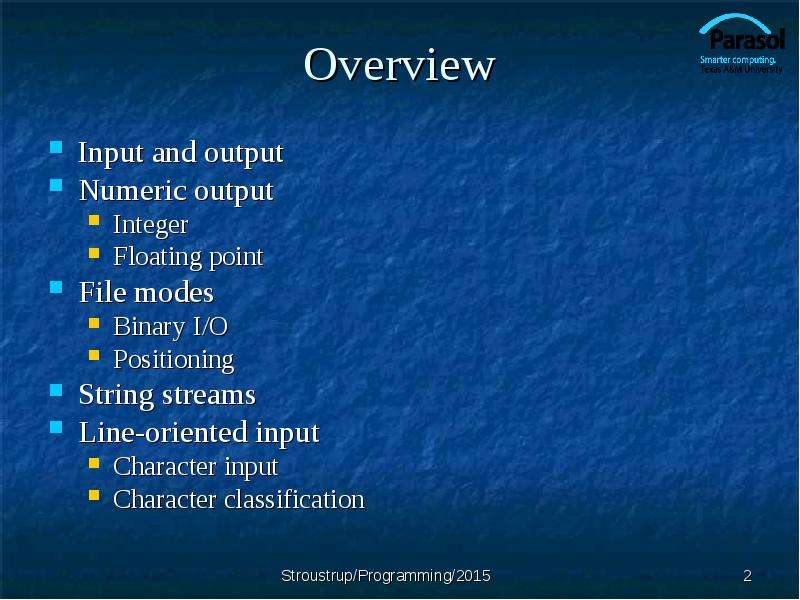
Overview Input and output Numeric output Integer Floating point File modes Binary I/O Positioning String streams Line-oriented input Character input...
Описание слайда:
Overview Input and output Numeric output Integer Floating point File modes Binary I/O Positioning String streams Line-oriented input Character input Character classification

Слайд 3


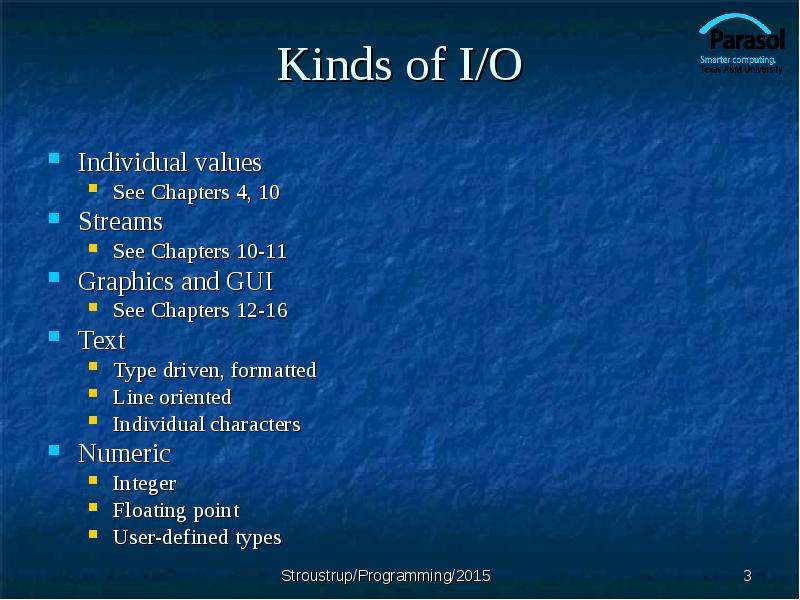
Kinds of I/O Individual values See Chapters 4, 10 Streams See Chapters 10-11 Graphics and GUI See Chapters 12-16 Text Type driven, formatted Line...
Описание слайда:
Kinds of I/O Individual values See Chapters 4, 10 Streams See Chapters 10-11 Graphics and GUI See Chapters 12-16 Text Type driven, formatted Line oriented Individual characters Numeric Integer Floating point User-defined types

Слайд 4


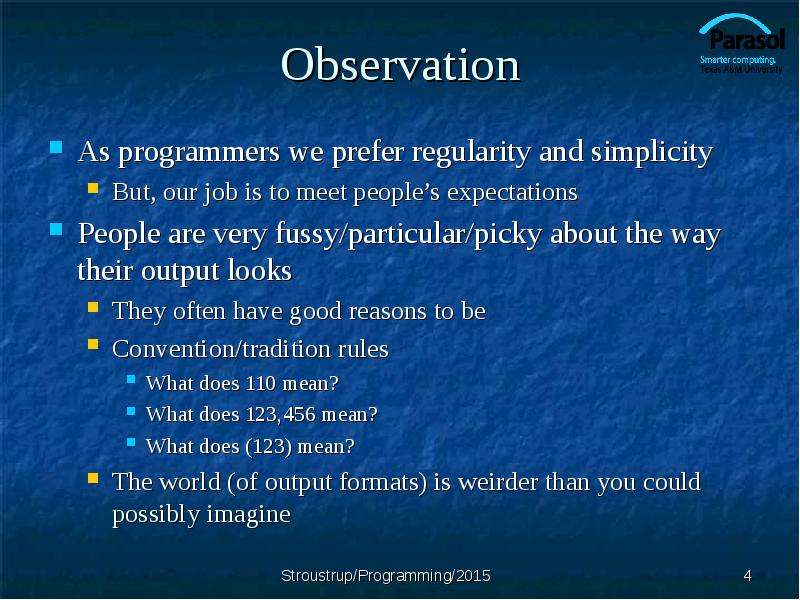
Observation As programmers we prefer regularity and simplicity But, our job is to meet people’s expectations People are very fussy/particular/picky...
Описание слайда:
Observation As programmers we prefer regularity and simplicity But, our job is to meet people’s expectations People are very fussy/particular/picky about the way their output looks They often have good reasons to be Convention/tradition rules What does 110 mean? What does 123,456 mean? What does (123) mean? The world (of output formats) is weirder than you could possibly imagine

Слайд 5


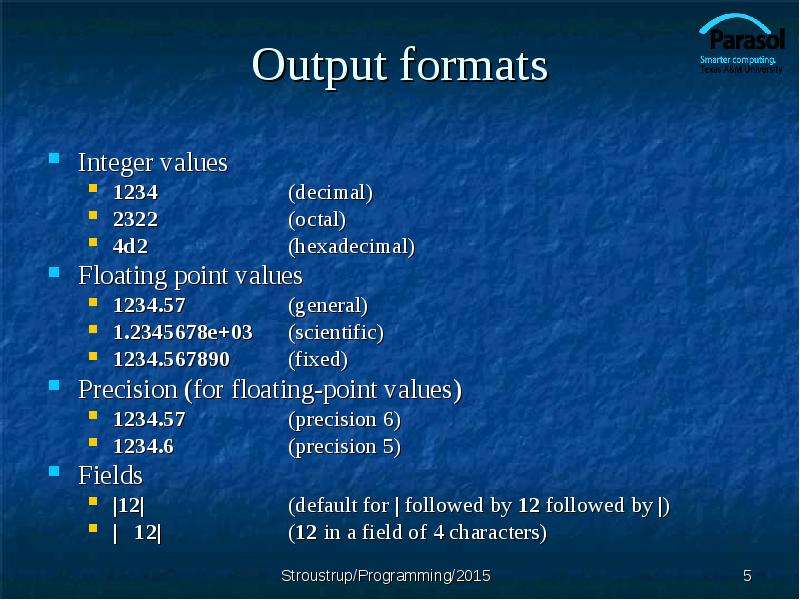
Output formats Integer values 1234 (decimal) 2322 (octal) 4d2 (hexadecimal) Floating point values 1234.57 (general) 1.2345678e+03 (scientific)...
Описание слайда:
Output formats Integer values 1234 (decimal) 2322 (octal) 4d2 (hexadecimal) Floating point values 1234.57 (general) 1.2345678e+03 (scientific) 1234.567890 (fixed) Precision (for floating-point values) 1234.57 (precision 6) 1234.6 (precision 5) Fields |12| (default for | followed by 12 followed by |) | 12| (12 in a field of 4 characters)

Слайд 6


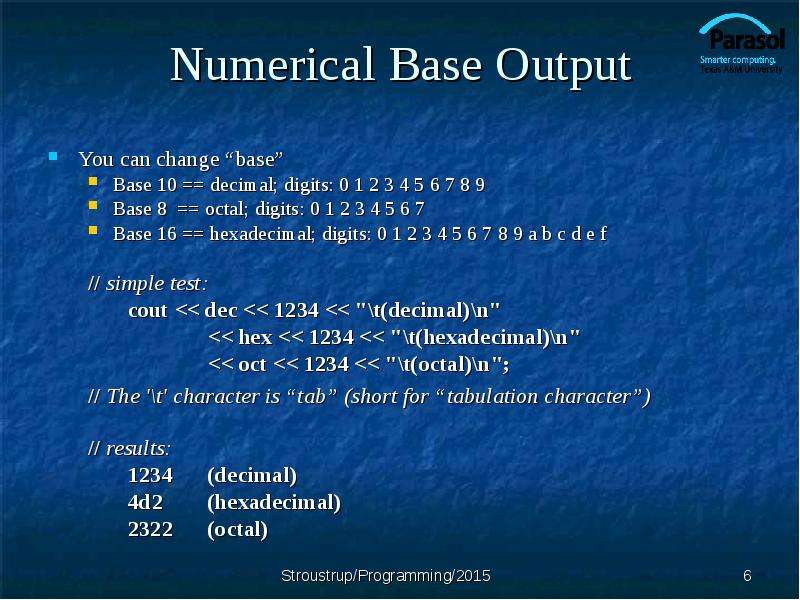
Numerical Base Output You can change “base” Base 10 == decimal; digits: 0 1 2 3 4 5 6 7 8 9 Base 8 == octal; digits: 0 1 2 3 4 5 6 7 Base 16 ==...
Описание слайда:
Numerical Base Output You can change “base” Base 10 == decimal; digits: 0 1 2 3 4 5 6 7 8 9 Base 8 == octal; digits: 0 1 2 3 4 5 6 7 Base 16 == hexadecimal; digits: 0 1 2 3 4 5 6 7 8 9 a b c d e f // simple test: cout

Слайд 7


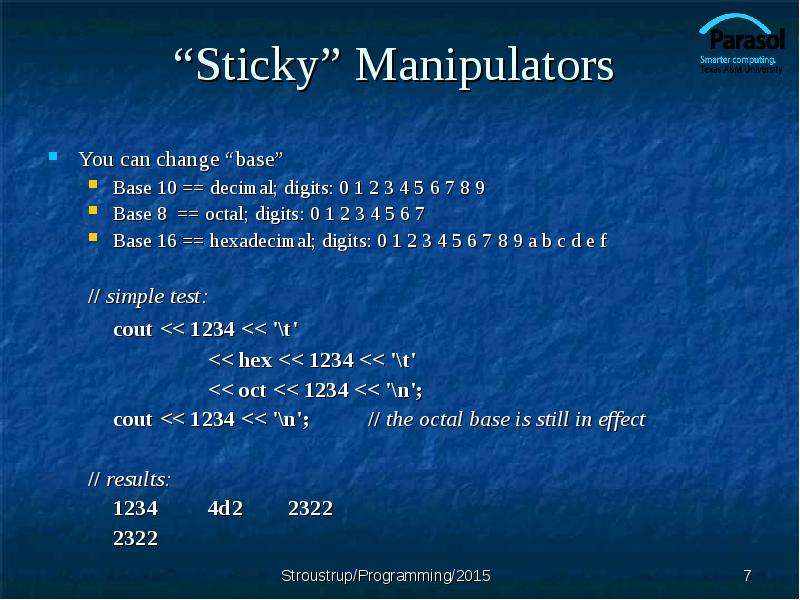
“Sticky” Manipulators You can change “base” Base 10 == decimal; digits: 0 1 2 3 4 5 6 7 8 9 Base 8 == octal; digits: 0 1 2 3 4 5 6 7 Base 16 ==...
Описание слайда:
“Sticky” Manipulators You can change “base” Base 10 == decimal; digits: 0 1 2 3 4 5 6 7 8 9 Base 8 == octal; digits: 0 1 2 3 4 5 6 7 Base 16 == hexadecimal; digits: 0 1 2 3 4 5 6 7 8 9 a b c d e f // simple test: cout

Слайд 8


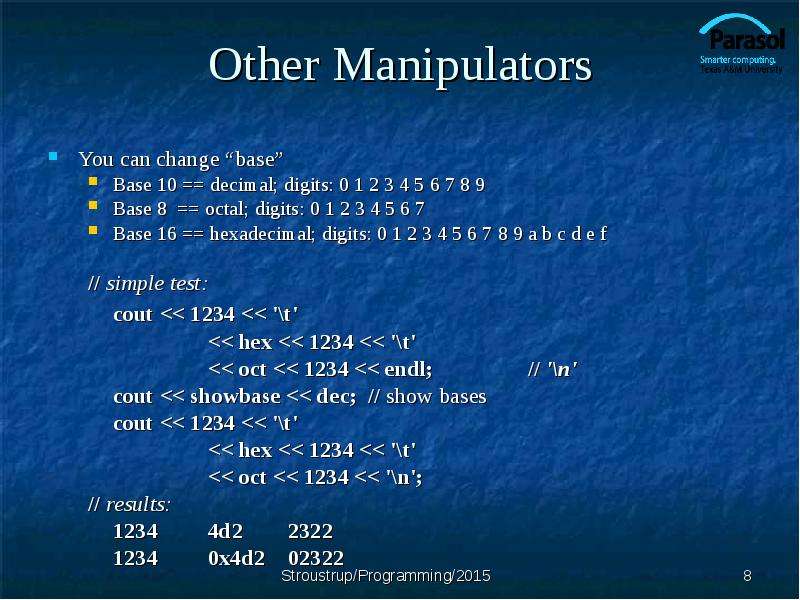
Other Manipulators You can change “base” Base 10 == decimal; digits: 0 1 2 3 4 5 6 7 8 9 Base 8 == octal; digits: 0 1 2 3 4 5 6 7 Base 16 ==...
Описание слайда:
Other Manipulators You can change “base” Base 10 == decimal; digits: 0 1 2 3 4 5 6 7 8 9 Base 8 == octal; digits: 0 1 2 3 4 5 6 7 Base 16 == hexadecimal; digits: 0 1 2 3 4 5 6 7 8 9 a b c d e f // simple test: cout

Слайд 9


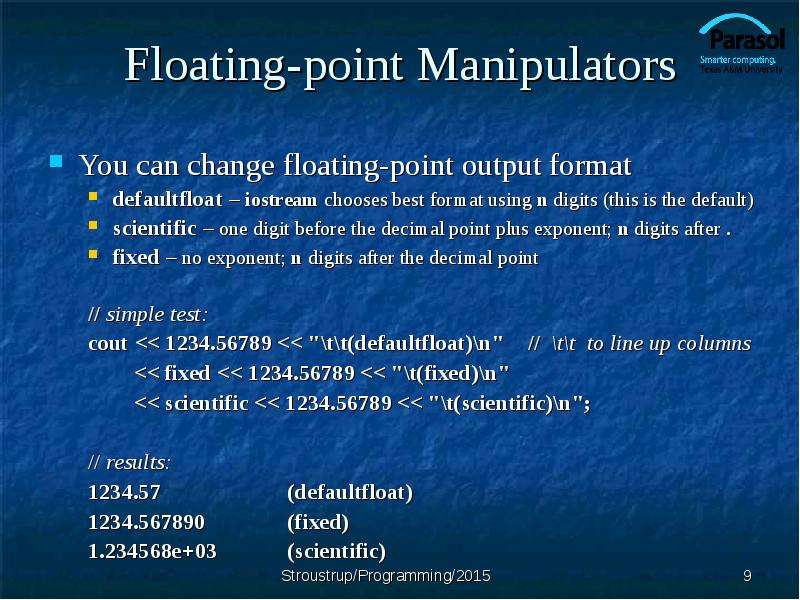
Floating-point Manipulators You can change floating-point output format defaultfloat – iostream chooses best format using n digits (this is the...
Описание слайда:
Floating-point Manipulators You can change floating-point output format defaultfloat – iostream chooses best format using n digits (this is the default) scientific – one digit before the decimal point plus exponent; n digits after . fixed – no exponent; n digits after the decimal point // simple test: cout

Слайд 10


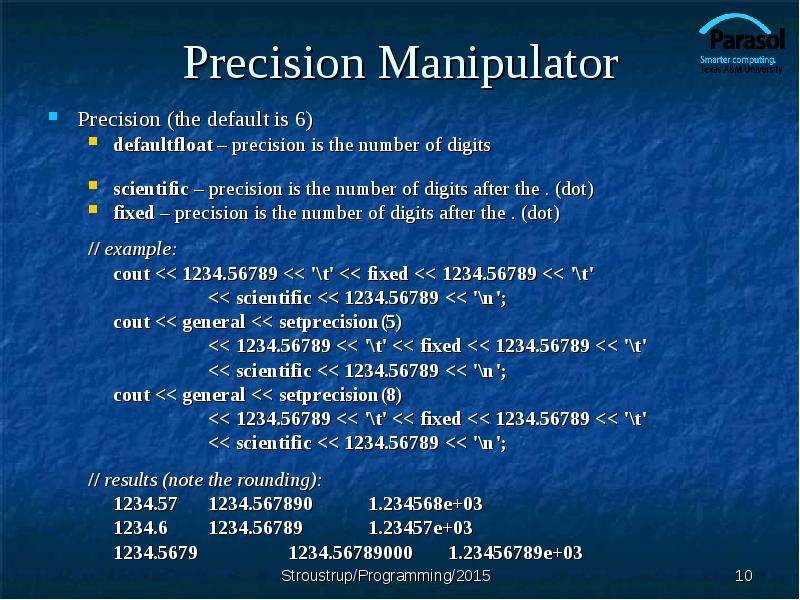
Precision Manipulator Precision (the default is 6) defaultfloat – precision is the number of digits scientific – precision is the number of digits...
Описание слайда:
Precision Manipulator Precision (the default is 6) defaultfloat – precision is the number of digits scientific – precision is the number of digits after the . (dot) fixed – precision is the number of digits after the . (dot) // example: cout

Слайд 11


Output field width A width is the number of characters to be used for the next output operation Beware: width applies to next output only (it doesn’t...
Описание слайда:
Output field width A width is the number of characters to be used for the next output operation Beware: width applies to next output only (it doesn’t “stick” like precision, base, and floating-point format) Beware: output is never truncated to fit into field (better a bad format than a bad value) // example: cout

Слайд 12


Observation This kind of detail is what you need textbooks, manuals, references, online support, etc. for You always forget some of the details when...
Описание слайда:
Observation This kind of detail is what you need textbooks, manuals, references, online support, etc. for You always forget some of the details when you need them

Слайд 13


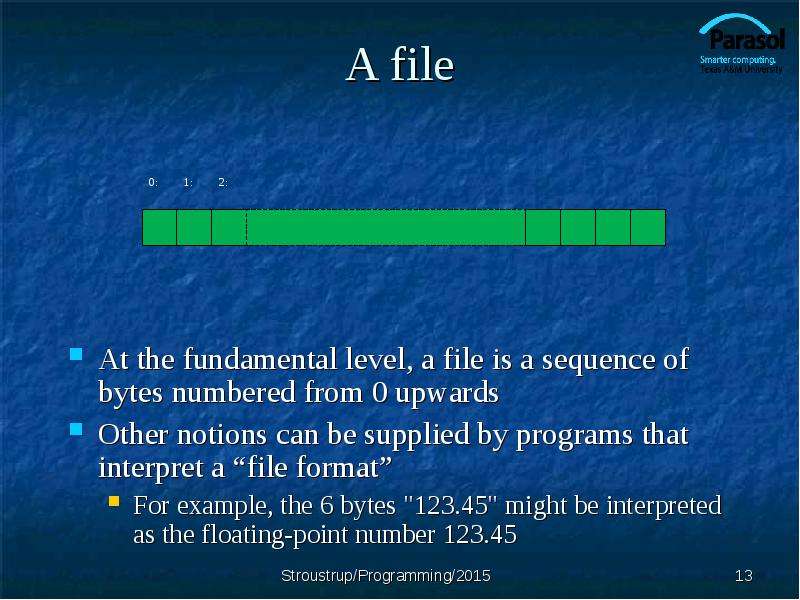
A file At the fundamental level, a file is a sequence of bytes numbered from 0 upwards Other notions can be supplied by programs that interpret a...
Описание слайда:
A file At the fundamental level, a file is a sequence of bytes numbered from 0 upwards Other notions can be supplied by programs that interpret a “file format” For example, the 6 bytes "123.45" might be interpreted as the floating-point number 123.45

Слайд 14


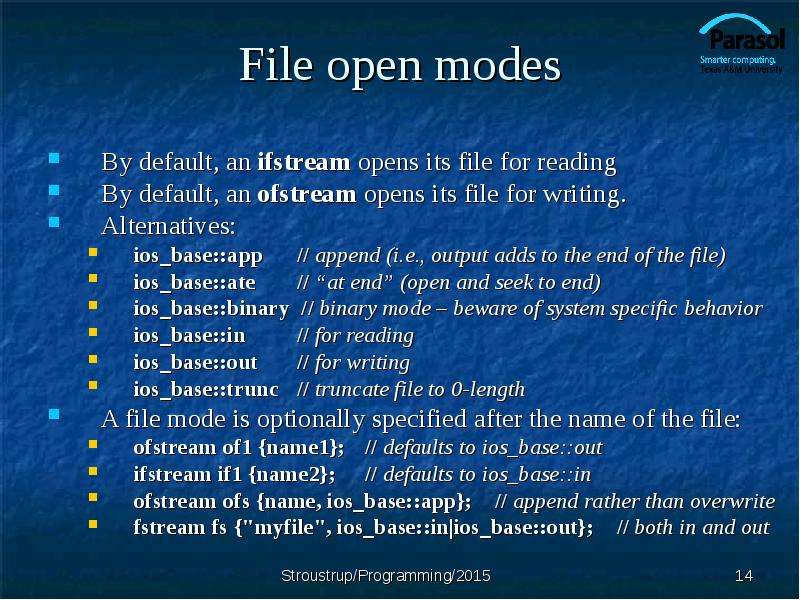
File open modes By default, an ifstream opens its file for reading By default, an ofstream opens its file for writing. Alternatives: ios_base::app //...
Описание слайда:
File open modes By default, an ifstream opens its file for reading By default, an ofstream opens its file for writing. Alternatives: ios_base::app // append (i.e., output adds to the end of the file) ios_base::ate // “at end” (open and seek to end) ios_base::binary // binary mode – beware of system specific behavior ios_base::in // for reading ios_base::out // for writing ios_base::trunc // truncate file to 0-length A file mode is optionally specified after the name of the file: ofstream of1 {name1}; // defaults to ios_base::out ifstream if1 {name2}; // defaults to ios_base::in ofstream ofs {name, ios_base::app}; // append rather than overwrite fstream fs {"myfile", ios_base::in|ios_base::out}; // both in and out

Слайд 15


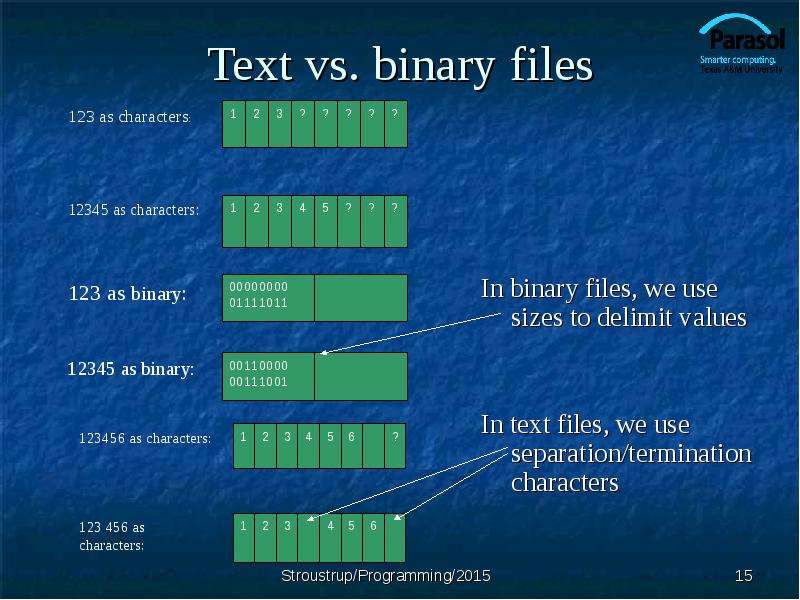
Text vs. binary files In binary files, we use sizes to delimit values In text files, we use separation/termination characters
Описание слайда:
Text vs. binary files In binary files, we use sizes to delimit values In text files, we use separation/termination characters

Слайд 16


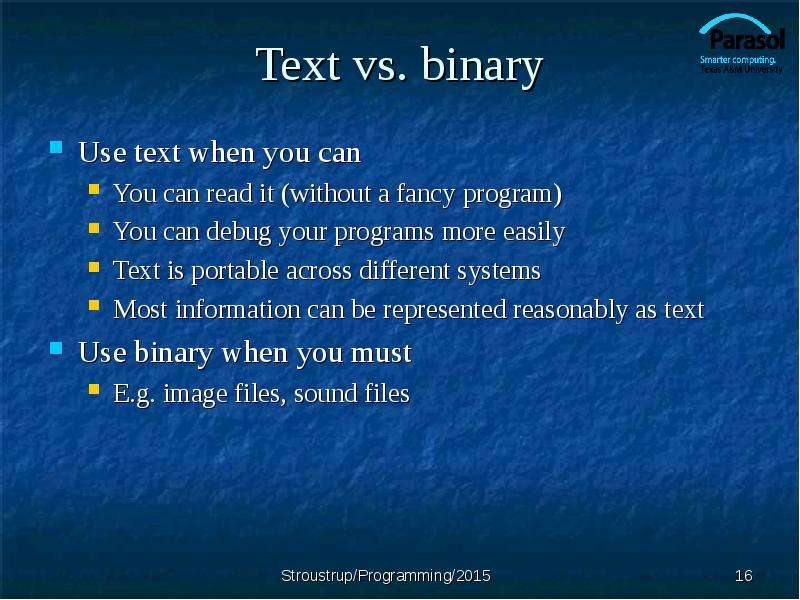
Text vs. binary Use text when you can You can read it (without a fancy program) You can debug your programs more easily Text is portable across...
Описание слайда:
Text vs. binary Use text when you can You can read it (without a fancy program) You can debug your programs more easily Text is portable across different systems Most information can be represented reasonably as text Use binary when you must E.g. image files, sound files

Слайд 17


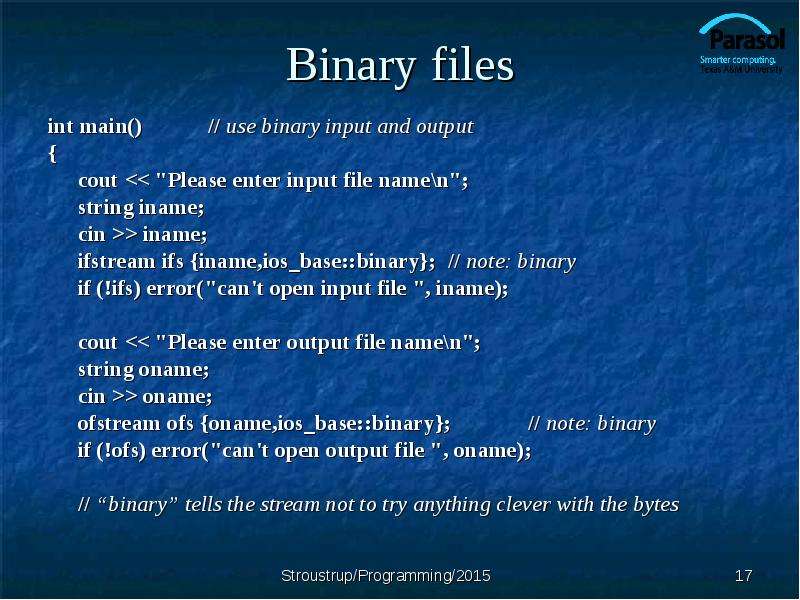
Binary files int main() // use binary input and output { cout > iname; ifstream ifs {iname,ios_base::binary}; // note: binary if (!ifs)...
Описание слайда:
Binary files int main() // use binary input and output { cout > iname; ifstream ifs {iname,ios_base::binary}; // note: binary if (!ifs) error("can't open input file ", iname); cout > oname; ofstream ofs {oname,ios_base::binary}; // note: binary if (!ofs) error("can't open output file ", oname); // “binary” tells the stream not to try anything clever with the bytes

Слайд 18


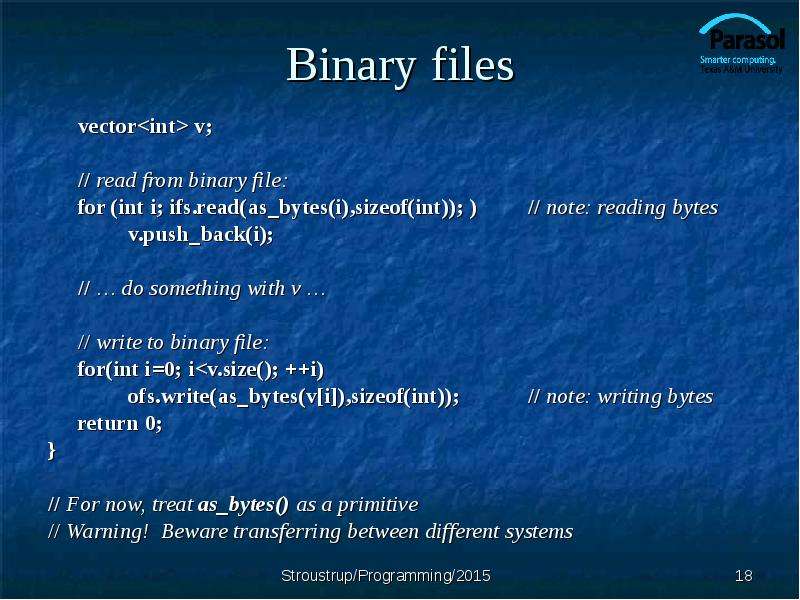
Binary files vector v; // read from binary file: for (int i; ifs.read(as_bytes(i),sizeof(int)); ) // note: reading bytes v.push_back(i); // … do...
Описание слайда:
Binary files vector v; // read from binary file: for (int i; ifs.read(as_bytes(i),sizeof(int)); ) // note: reading bytes v.push_back(i); // … do something with v … // write to binary file: for(int i=0; i

Слайд 19


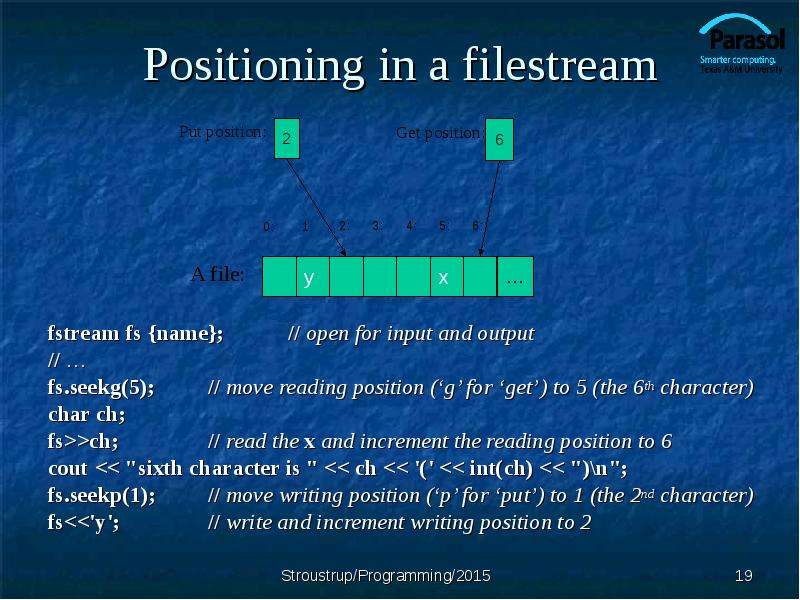
Positioning in a filestream fstream fs {name}; // open for input and output // … fs.seekg(5); // move reading position (‘g’ for ‘get’) to 5 (the 6th...
Описание слайда:
Positioning in a filestream fstream fs {name}; // open for input and output // … fs.seekg(5); // move reading position (‘g’ for ‘get’) to 5 (the 6th character) char ch; fs>>ch; // read the x and increment the reading position to 6 cout

Слайд 20


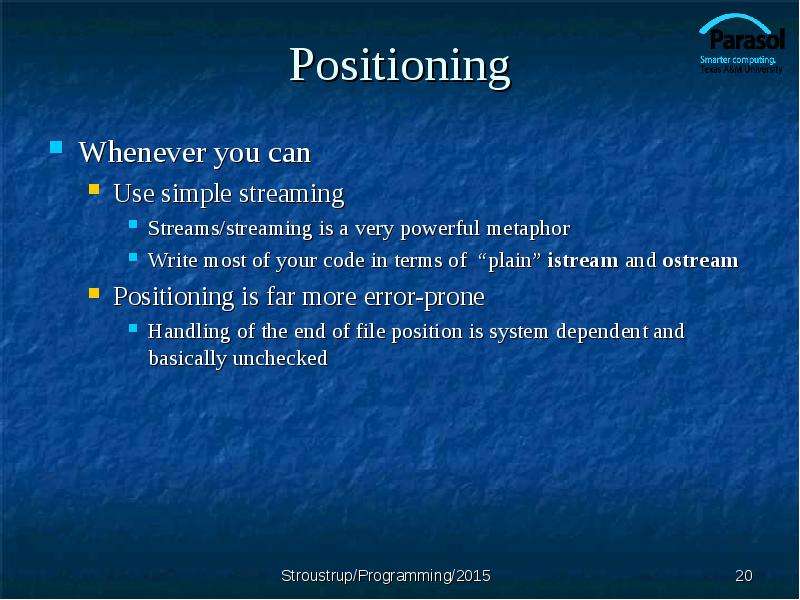
Positioning Whenever you can Use simple streaming Streams/streaming is a very powerful metaphor Write most of your code in terms of “plain” istream...
Описание слайда:
Positioning Whenever you can Use simple streaming Streams/streaming is a very powerful metaphor Write most of your code in terms of “plain” istream and ostream Positioning is far more error-prone Handling of the end of file position is system dependent and basically unchecked

Слайд 21


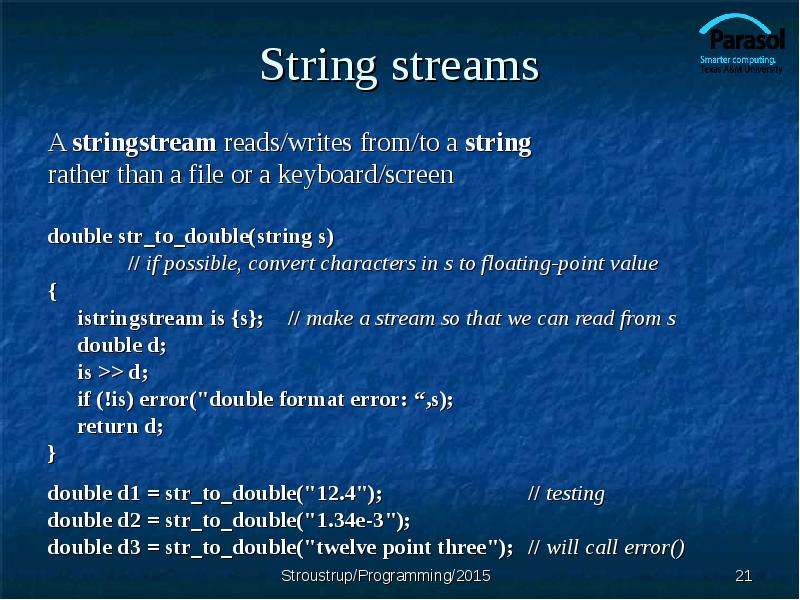
String streams A stringstream reads/writes from/to a string rather than a file or a keyboard/screen double str_to_double(string s) // if possible,...
Описание слайда:
String streams A stringstream reads/writes from/to a string rather than a file or a keyboard/screen double str_to_double(string s) // if possible, convert characters in s to floating-point value { istringstream is {s}; // make a stream so that we can read from s double d; is >> d; if (!is) error("double format error: “,s); return d; } double d1 = str_to_double("12.4"); // testing double d2 = str_to_double("1.34e-3"); double d3 = str_to_double("twelve point three"); // will call error()

Слайд 22


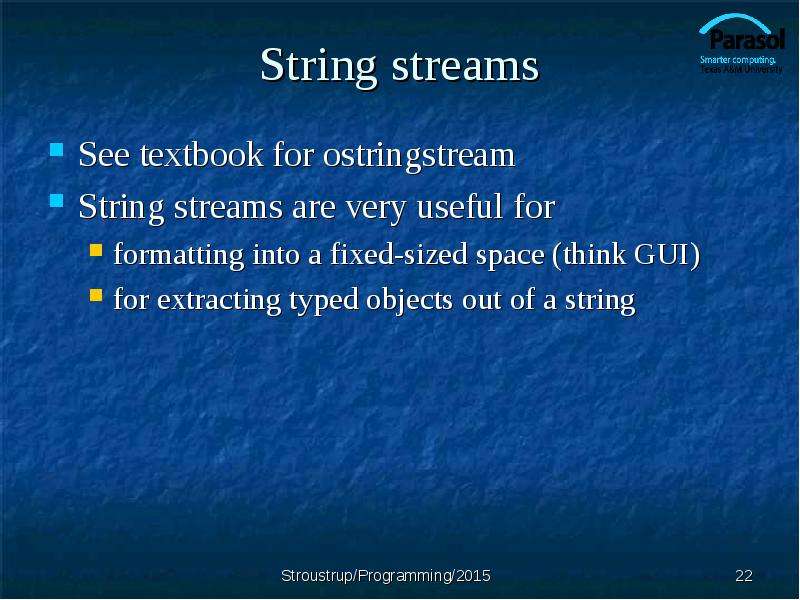
String streams See textbook for ostringstream String streams are very useful for formatting into a fixed-sized space (think GUI) for extracting typed...
Описание слайда:
String streams See textbook for ostringstream String streams are very useful for formatting into a fixed-sized space (think GUI) for extracting typed objects out of a string

Слайд 23


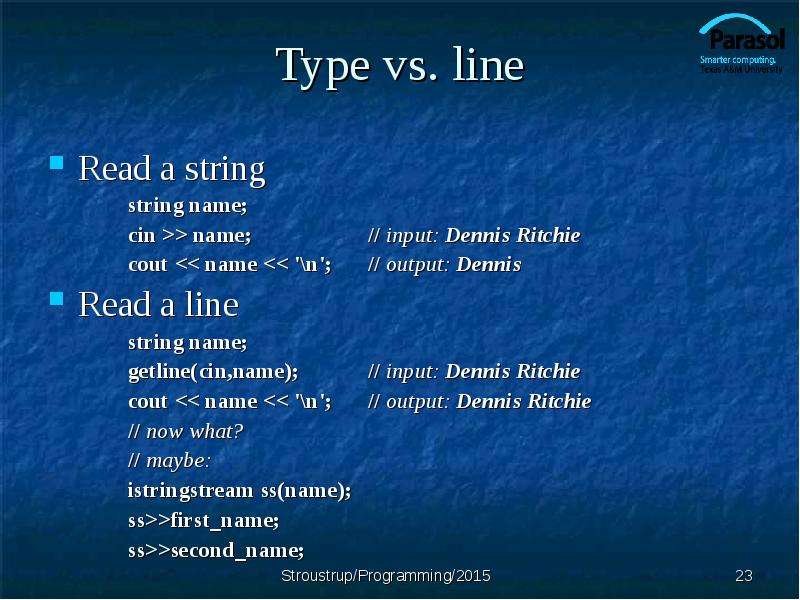
Type vs. line Read a string string name; cin >> name; // input: Dennis Ritchie cout second_name;
Описание слайда:
Type vs. line Read a string string name; cin >> name; // input: Dennis Ritchie cout second_name;

Слайд 24


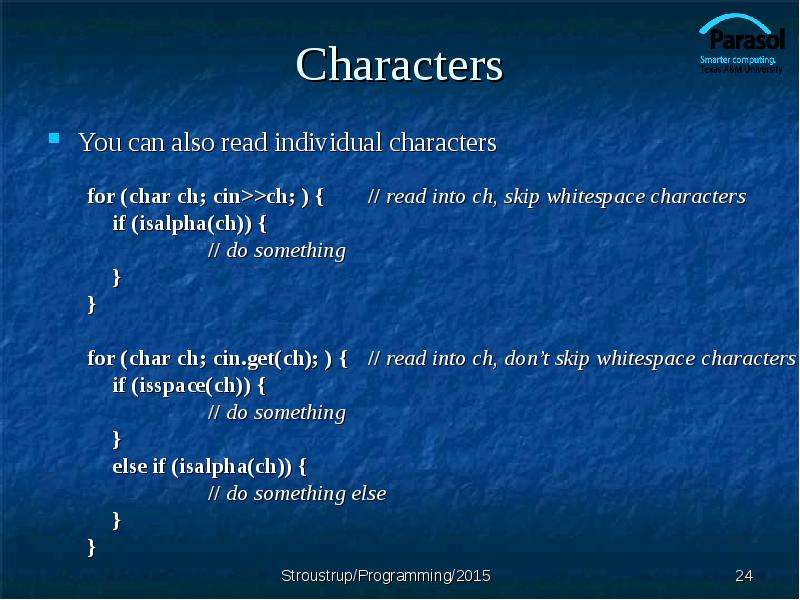
Characters You can also read individual characters for (char ch; cin>>ch; ) { // read into ch, skip whitespace characters if (isalpha(ch)) { // do...
Описание слайда:
Characters You can also read individual characters for (char ch; cin>>ch; ) { // read into ch, skip whitespace characters if (isalpha(ch)) { // do something } } for (char ch; cin.get(ch); ) { // read into ch, don’t skip whitespace characters if (isspace(ch)) { // do something } else if (isalpha(ch)) { // do something else } }

Слайд 25


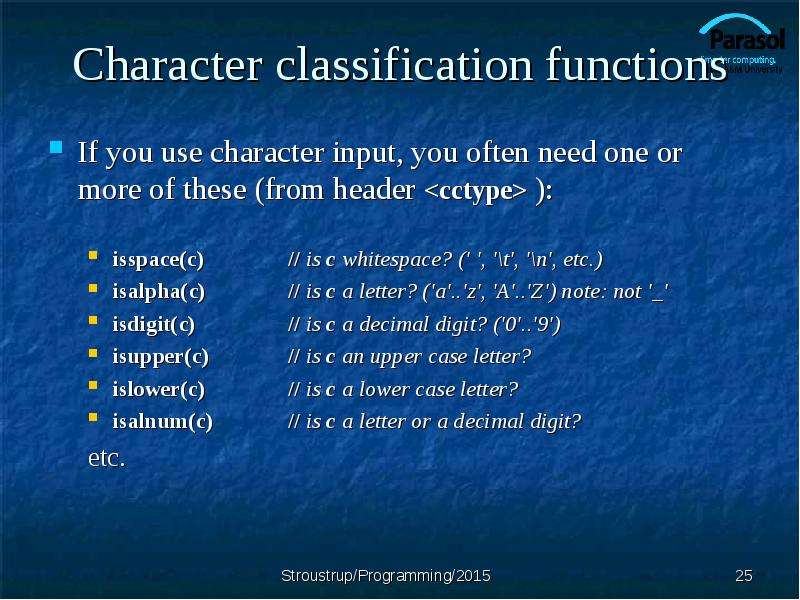
Character classification functions If you use character input, you often need one or more of these (from header ): isspace(c) // is c whitespace? ('...
Описание слайда:
Character classification functions If you use character input, you often need one or more of these (from header ): isspace(c) // is c whitespace? (' ', '\t', '\n', etc.) isalpha(c) // is c a letter? ('a'..'z', 'A'..'Z') note: not '_' isdigit(c) // is c a decimal digit? ('0'..'9') isupper(c) // is c an upper case letter? islower(c) // is c a lower case letter? isalnum(c) // is c a letter or a decimal digit? etc.

Слайд 26


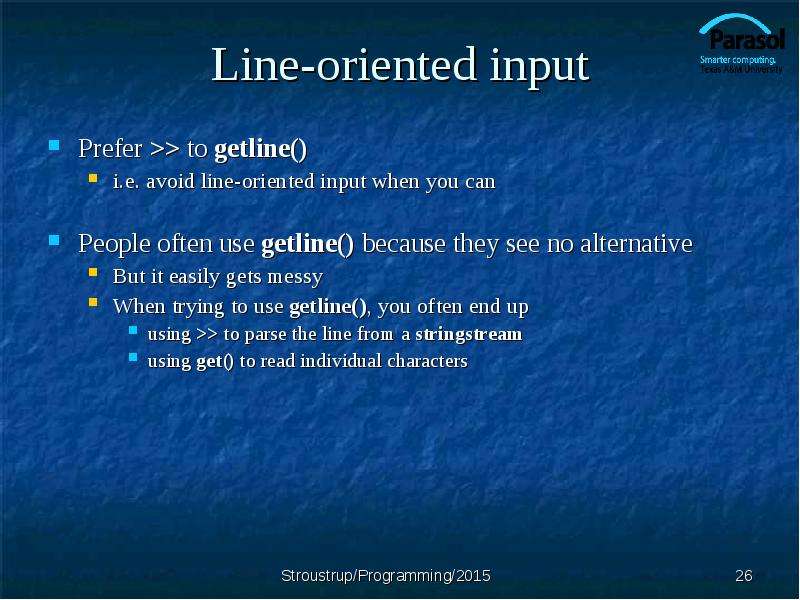
Line-oriented input Prefer >> to getline() i.e. avoid line-oriented input when you can People often use getline() because they see no alternative But...
Описание слайда:
Line-oriented input Prefer >> to getline() i.e. avoid line-oriented input when you can People often use getline() because they see no alternative But it easily gets messy When trying to use getline(), you often end up using >> to parse the line from a stringstream using get() to read individual characters

Слайд 27


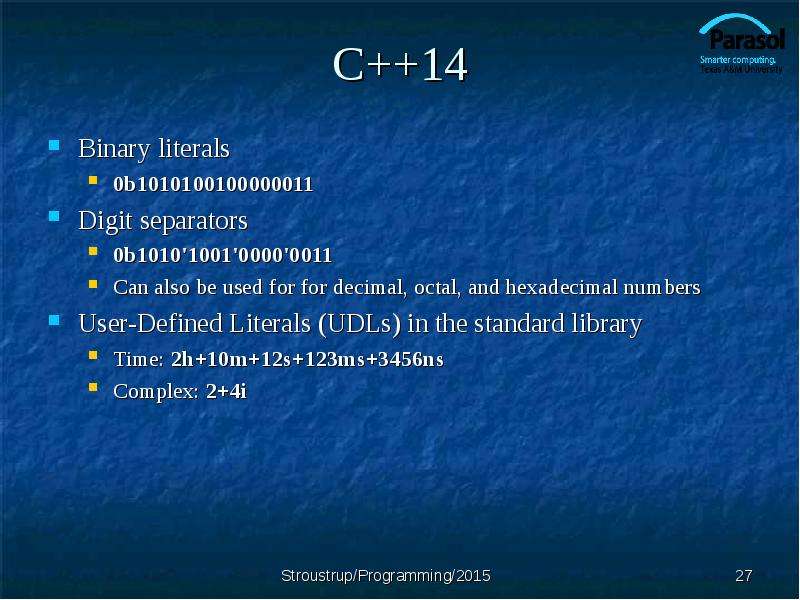
C++14 Binary literals 0b1010100100000011 Digit separators 0b1010'1001'0000'0011 Can also be used for for decimal, octal, and hexadecimal numbers...
Описание слайда:
C++14 Binary literals 0b1010100100000011 Digit separators 0b1010'1001'0000'0011 Can also be used for for decimal, octal, and hexadecimal numbers User-Defined Literals (UDLs) in the standard library Time: 2h+10m+12s+123ms+3456ns Complex: 2+4i

Слайд 28


Next lecture Graphical output Creating a window Drawing graphs
Описание слайда:
Next lecture Graphical output Creating a window Drawing graphs


Теги Customizing Chapter
Похожие презентации
Mypresentation.ru
Загрузить презентацию